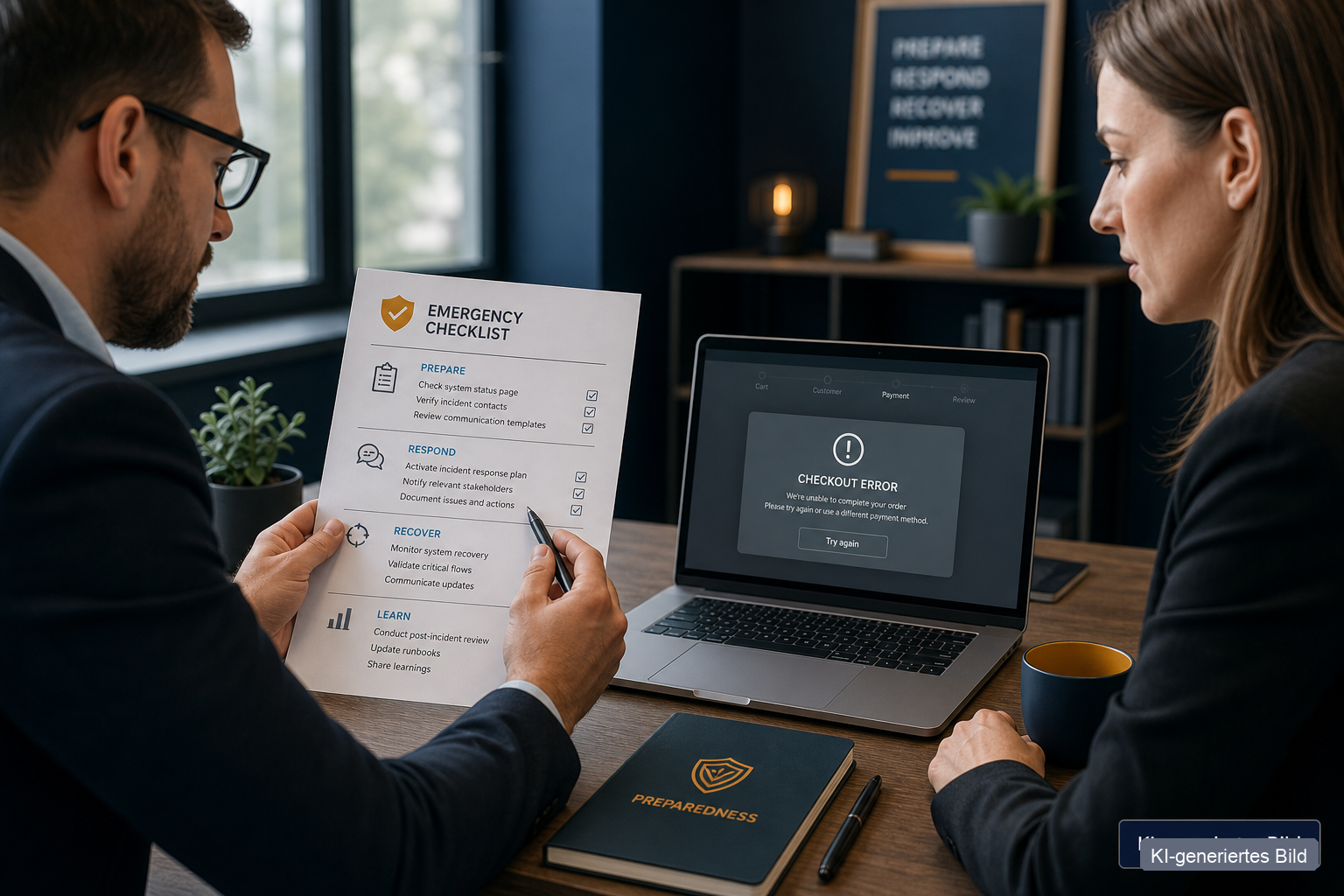
What really happens in 48 hours — beyond "IT is down"
When payment or the order system fails, many think of technology first. In the first 48 hours several damages run in parallel:
- Lost revenue: No checkout, no card payment, no automatic invoicing — daily revenue drops close to zero while fixed costs continue.
- Open orders: Customers paid or ordered, shipments wait in the queue — without clear handling you risk double bookings or forgotten orders.
- Trust loss: A silent website or aborted checkout looks like insolvency to new customers — even when everything is under control internally.
- Support overload: The team answers the same question a hundred times instead of escalating in a structured way.
- Liquidity pressure: With a high online share, incoming payments stop immediately — a topic the cashflow analysis in risk management article covers in depth.
An emergency plan that only says "check the status page and wait" does not cover these follow-on damages.
Technical outage or account freeze — two different plans
Many companies confuse the two. In practice they are different crises:
| Aspect | Technical outage | Account freeze / compliance review |
|---|---|---|
| Typical cause | Hosting, API failure, network, DDoS | Stripe review, bank compliance, policy violation, fraud suspicion |
| Typical duration | Hours, rarely 1–2 days | Days to weeks — no guaranteed timeline |
| What still works? | Often back office, email, manual processing | Often no access to the merchant dashboard at all |
| First action | Activate backup payment, inform customers | Gather documents, open support ticket, switch on parallel payment route |
| Communication | "Technical issue, we are working on it" | "Payment route temporarily limited — alternative options active" |
Real-world example: On 22 July 2026 Shopify reported checkout errors for stores using the Stripe payment gateway — affected shops either saw no credit card form or processing errors. According to the status incident, the disruption lasted about two hours. That is a classic technical outage — short, but expensive at peak time.
An account freeze looks different: the dashboard is locked, payouts stop, support demands evidence — and revenue still stalls because customers cannot pay. You need a plan B that does not depend on the locked provider.
Five things that must be clear beforehand
Before anything happens, these five points should be written down — not only in the CEO's head:
- Backup payment route: Which alternative do you activate immediately (PayPal, bank transfer with manual confirmation, second payment provider, invoice purchase for existing customers)? Who holds the credentials — and are they stored outside the primary system?
- Decision-maker in hour one: Who may put the shop in maintenance mode, trigger refunds, or enable the backup route? Without a named role, three people decide in parallel — slowly and inconsistently.
- Customer communication: Ready text blocks for website banner, email reply, and social media — factual, no panic, with a concrete next step for the customer.
- Order handling: What happens to paid but unshipped orders? Who maintains an offline list when the ERP is unreachable?
- Liquidity buffer: How many days of fixed costs do reserves cover if no payments arrive? For a 48-hour worst case: daily revenue × 2 as a guide for euro valuation.
This list is not an ISO document — it is the core of a business emergency plan you can actually read in a crisis.
Mini role map: who decides in the first hour?
| Role | Task in hour 1 | Backup |
|---|---|---|
| Crisis lead (CEO or delegate) | Decide: maintenance mode yes/no, enable backup payment | Name a deputy |
| Tech / IT | Check status, contact provider, isolate if attack suspected | External IT number on paper |
| Customer communication | Banner, email template, social post — one channel, one voice | Marketing or executive assistant |
| Finance | Liquidity check, inform insurer if business interruption relevant | Accountant / bookkeeper |
| Operations / orders | List open orders, start manual processing | Second person with ERP access |
Backup matters — key-person risks hit emergency plans too when only one person knows all passwords.
What not to do in a crisis
These mistakes typically enlarge the damage:
- Only watching the status page — activate backup route and inform customers in parallel.
- Panic posts on social media — vague claims ("We were hacked!") without facts do more harm than the outage itself.
- Refunds without a list — chaotic repayments without order overview create double payments.
- Trying to fix everything alone — if a cyber attack is suspected: isolate and call experts (see Cyber attack — what to do?).
- Reading the plan for the first time — if the emergency plan only lives in SharePoint and SharePoint is down, you have no plan.
How to estimate damage in euros
Risk management without a number is gut feeling. For payment outage a simple calculation is often enough:
Damage ≈ (daily revenue × outage days) + (support hours × hourly rate) + (estimated trust loss with key customers)
Example: €12,000 daily revenue, 2 days outage, 20 support hours at €45 → €24,900 direct and near-indirect damage — regardless of whether the company is "profitable" on paper.
That makes comparison easier: does a second payment provider cost €200 per month — or do you risk €25,000 in one weekend? The Beraterium method evaluates such scenarios in the hazard catalogue and prioritises measures by euro, not gut feeling.
Five-question checklist before the next peak season
Answer honestly — if more than two questions end with "No" or "Don't know", your emergency plan has gaps:
- Do we have a backup payment route we can activate in under 30 minutes?
- Are credentials and contact numbers (provider, IT, insurer) stored outside the primary system?
- Do we have text blocks for customers we can post without coordination?
- Does the team know who decides in hour one — and who acts as backup?
- Do we have liquidity for at least 14 days without expected incoming payments?
Blindspot Check: where your plan still has gaps
The checklist above is a start. The Blindspot Check goes further: it walks through typical what-if scenarios — payment freeze, website down, key person unavailable — and delivers a prioritised short report by email.
It does not replace a full SME risk analysis — but shows in minutes which blind spots you have not addressed yet. For digital dependencies (Shopify, Stripe, bank, ERP) the self-test is worth running before the next incident hits the news.
Conclusion: the first step this week
An emergency plan does not need 40 pages. It must exist before the crisis, be reachable outside the failed system, and pre-decide five things: backup payment, decision-maker, communication, orders, liquidity.
Concrete first step: Take 45 minutes, calculate your 48-hour revenue loss in euros, and agree with one person on the team who picks up the phone in hour one if payment fails. Then run the Blindspot Check — and note which question you could not answer.
If you want to see how payment, IT, and liquidity risks fit in one portfolio: In a free initial consultation we clarify in 30 minutes which three risks should top your list.
Note: This article is not legal, tax, or insurance advice. Beraterium is not a payment service provider or IT company — we structure risks and measures for businesses.